Catalog from your ERP, no CSVs
Products, prices, descriptions, and translations stream straight from your ERP over its API. Price changed in your back-office? Hit refresh — it's already in the catalog. No CSV exports, no engineering tickets.
Connect your ERP or CRM, drag products onto the canvas, and send multilingual PDF catalogs to clients in one click. Print-grade output, the editor in English, German and French, product data in any language your ERP holds.
No credit card. Free plan, no time limit.
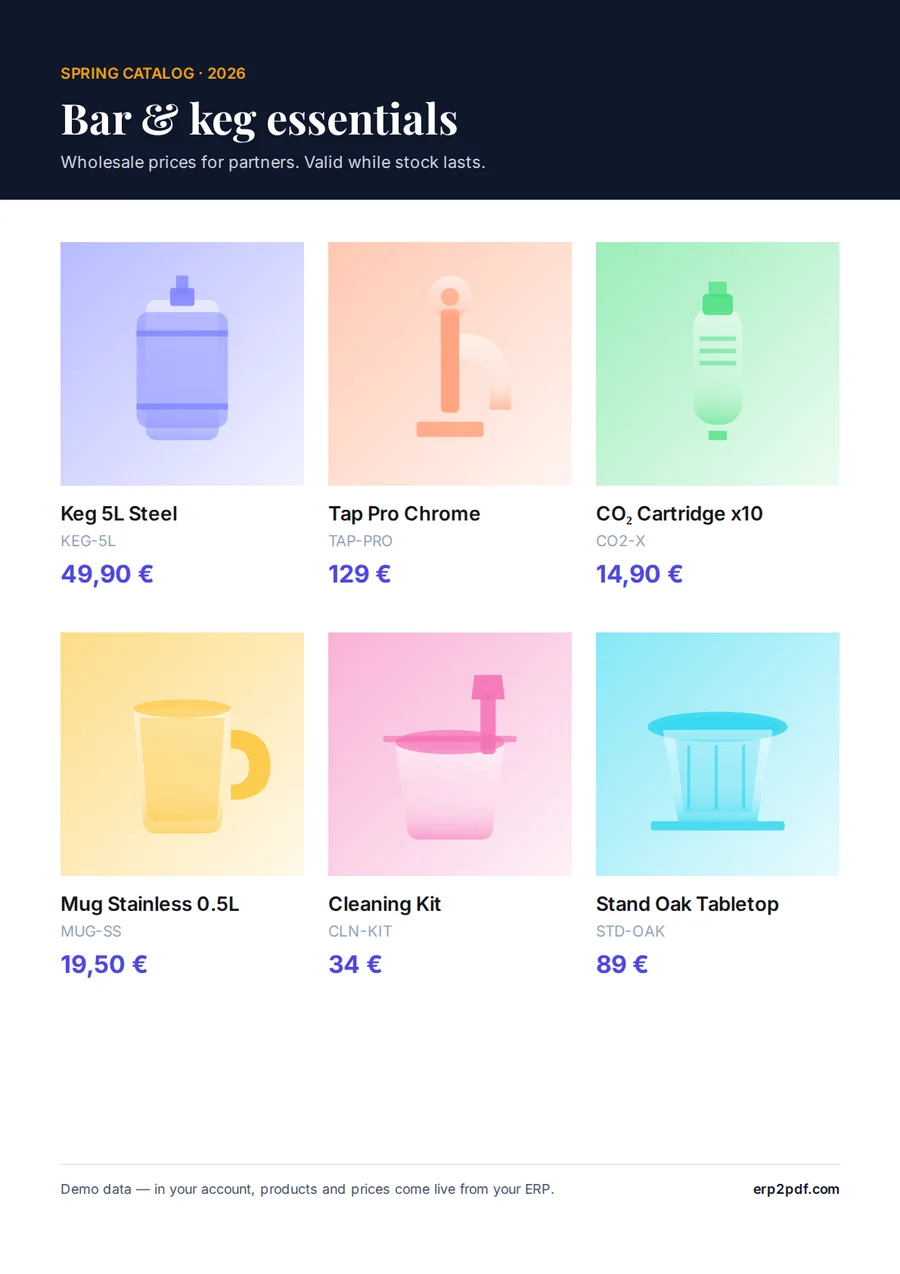
From Odoo, product.template
| SKU | Product | Price |
|---|---|---|
| KEG-5L | Keg 5L Steel | 49,90 € |
| TAP-PRO | Tap Pro Chrome | 129 € |
| CO2-X | CO₂ Cartridge x10 | 14,90 € |
Pricelists, spec sheets, decks, lookbooks — built from live ERP data instead of copy-pasted spreadsheets. One source of truth, a design editor that gets out of your way, and a server-side renderer that hands you a print-ready PDF in one click. Stop rebuilding the same catalog every time a price changes.
Products, prices, descriptions, and translations stream straight from your ERP over its API. Price changed in your back-office? Hit refresh — it's already in the catalog. No CSV exports, no engineering tickets.
Lay out products the way you want. Smart guides, snap, multi-page, master templates, undo / redo, autosave.
Editor ships in English, German, French, Russian and Ukrainian. Product names, descriptions, and attributes come straight from your ERP record, in whatever language the catalog is configured for.
Code128, EAN-13/EAN-8, UPC, Code39, ITF-14 and QR. Drop one into any slot — scans cleanly on every POS terminal we tested.
Pre-built master pages for pricelists, spec sheets, and decks. Save your own and reuse them across projects.
300 dpi CMYK with Coated FOGRA39 or any profile of the ICC library, your print shop's own included, PDF/X-1a / X-4 with trim & bleed boxes and a bleed & safe-zone preflight, all on Pro. Hand the file straight to your printer — no prep step.
Run separate workspaces per client or brand and switch between them in a click. Invite teammates by email with admin, editor or viewer roles — everyone sees only the workspaces they're added to. Add seats and top up credits self-serve as your team grows.
Paste a URL and an API token. Five minutes to set up, no SQL access required. Credentials are stored encrypted at rest with a server-side key and are never shown again.
Pick a template or start with a blank page. Drag products from the catalog in your preferred language. Multi-page, master templates, smart guides, autosave.
One click — the catalog is rendered on the server at print resolution. Download it, send it to your client, ship it to the printer, or attach it to a campaign.
Build the PDFs and emails your Odoo sends by dragging Odoo fields onto the page. No QWeb, no developer. Odoo's own Print, Send and customer portal then use your design.
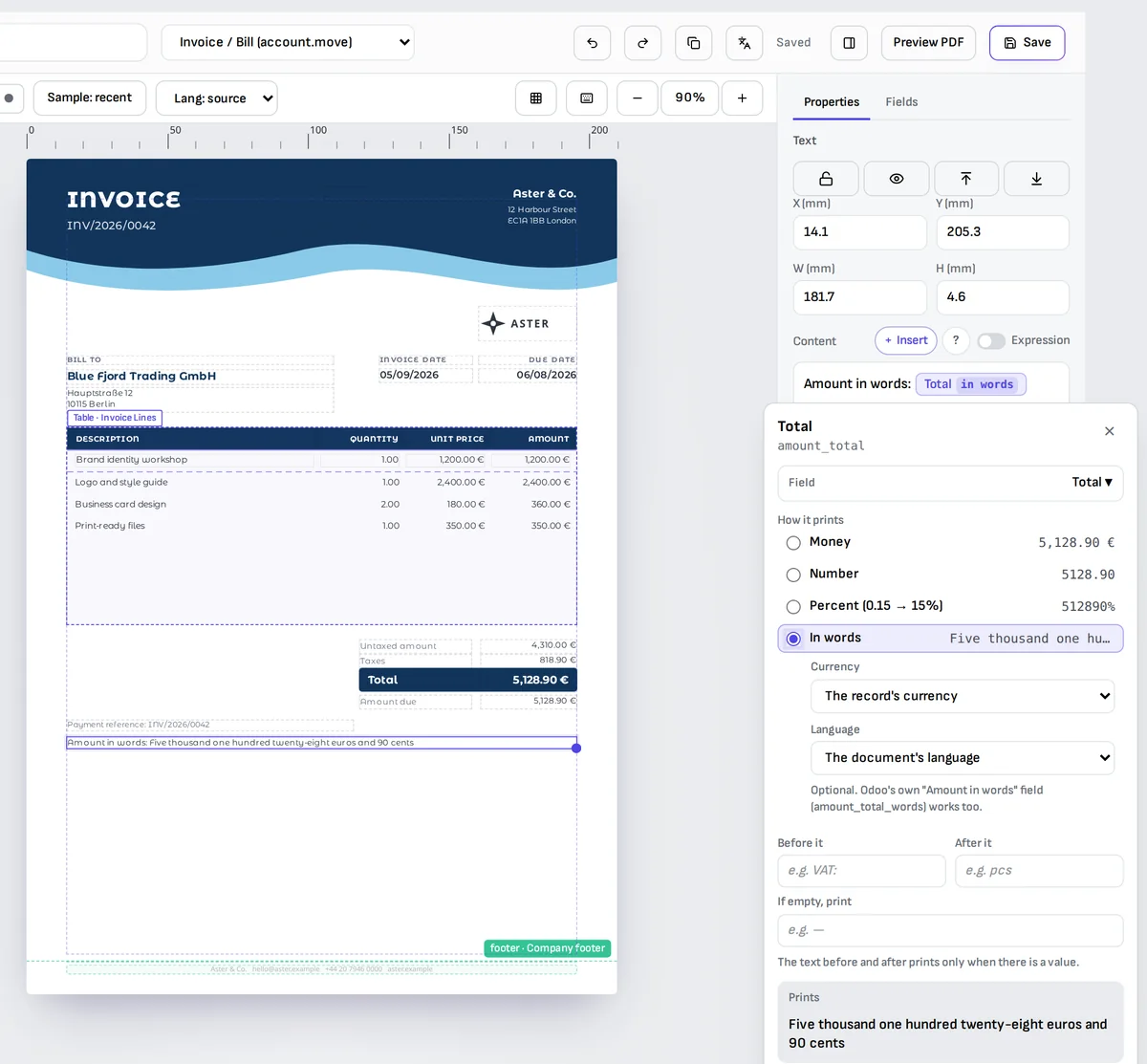
Connect erp2pdf.com to the systems you already use. The Odoo module is free on the Odoo Apps Store; pick your Odoo version.
Invoices, quotations, purchase orders and any Odoo document, designed by dragging fields. Becomes Odoo's own PDF for Print, Send by email and the portal.
Get it for your Odoo version:
Setup guideLet Claude, Cursor or any MCP client create, edit, translate and preview your Studio templates through the Template API.
Template API docsRender your templates from any system: send JSON data, get a print-ready PDF back.
Every plan is credit-based — roughly one credit per rendered page, a little more for image-heavy ones. The Free plan never expires; upgrade to Pro the moment you need print-ready output and your own branding.
Starter
$0/ mo
Try the whole product, no strings attached.
Pro
$19/ mo
For active designers and small studios.
Enterprise
Custom
Teams, agencies, retail chains.
Privacy: Studio reads your Odoo field structure only, unless you allow live previews. The documents Odoo prints are rendered from the data Odoo sends with each request.
Short how-tos, and four free converters that run on the same renderer as the catalogs. No account needed.